Remote work is now common for many teams. Staying productive, organized, and connected can be a challenge when everyone is working from different locations. ClickUp solves these problems with a powerful set of features designed for remote collaboration and productivity. Here are the top 10 ClickUp features every remote team should know—and how they make working from anywhere easier and more efficient.
1. Task Management for Clear Priorities
ClickUp’s flexible task management tools help teams assign, track, and prioritize work from anywhere. You can add due dates, set priorities, attach files, and create subtasks.
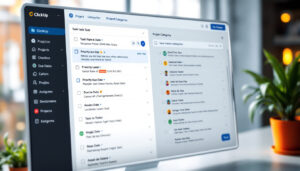
Organize tasks, set priorities, and break bigger goals into smaller steps.
2. Multiple Project Views
Toggle between List, Board (Kanban), Calendar, and Gantt views so every team member can see tasks in the way that works best for them. Visual project tracking keeps everyone on the same page.
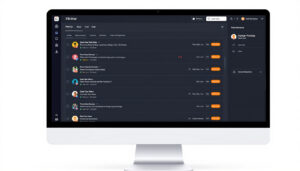
Switch between list, board, and timeline views to match your workflow style.
3. Real-Time Collaboration Tools
Work together on documents, leave comments, use chat, and brainstorm on whiteboards—right inside ClickUp. These collaboration features keep discussions tied to actual tasks and files.

Collaborate in real time: chat, comment, and brainstorm together on virtual whiteboards.
4. Built-in Time Tracking
Remote teams can log hours spent on each task directly in ClickUp. This helps with accountability, billing, and productivity reporting.
5. Automations that Save Time
Automate routine actions—like assigning new tasks, updating statuses, or sending reminders—so your team can focus on important work.
6. Templates for Faster Onboarding
Use ClickUp’s built-in templates to quickly set up projects for marketing, development, HR, and more. Or create custom templates for repeatable processes.
7. Advanced Integrations
ClickUp connects with Zoom, Slack, Google Drive, and dozens of other platforms—so all your tools work together and remote teams don’t miss a beat.
8. Docs & Knowledge Base
Build, edit, and share important documents in one place. ClickUp Docs can replace scattered Google Docs, making team info easy to find.
9. Goal Tracking
Set company or team goals, track key results, and link goals directly to projects for accountability and transparency.
10. Mobile and Offline Access
ClickUp’s app keeps your team connected on any device—even when traveling or offline.
Conclusion
Whether your remote team is just getting started or scaling up, ClickUp’s feature set makes async and real-time production smoother. With clear task management, flexible views, and built-in collaboration tools, ClickUp helps remote teams stay organized, connected, and on track—no matter where they work.
Ready to boost your remote team’s productivity?
Try ClickUp for free and see these features in action.